Find “theme”
Search the action name instead of remembering its modifier combination.

A LITTLE LIGHT FOR YOUR MUSCLE MEMORY
illuminating your bindings
Find the keys for your desktop and the apps you use. Search by what you want to do, see the matching keys, and keep your favorites close.
Native on Linux. First-class Omarchy support.
Development preview · your inputs, in focus
01 / FROM AN ACTION TO ITS KEYS
Choose a shortcut below. Its keys light up on this keyboard. In the app, explore the keyboard or use Omarchy’s live keyboard guide.
Highlighted keys show the selected action’s chord.
WHAT DO YOU WANT TO DO?
Examples: standard Omarchy and Chromium bindings. Bindlume reads your live Omarchy configuration; your customized shortcuts take precedence. This webpage does not run desktop actions.
Search the action name instead of remembering its modifier combination.
The keyboard view makes the keys visible. The Omarchy guide can show bindings while you hold modifiers.
Bookmark it for next time, or hide shortcuts you’ve already learned.
02 / YOUR DESKTOP, YOUR LOOK
Actual app captures with public shortcut examples. Choose a shape, a color mode, and a shortcut set.
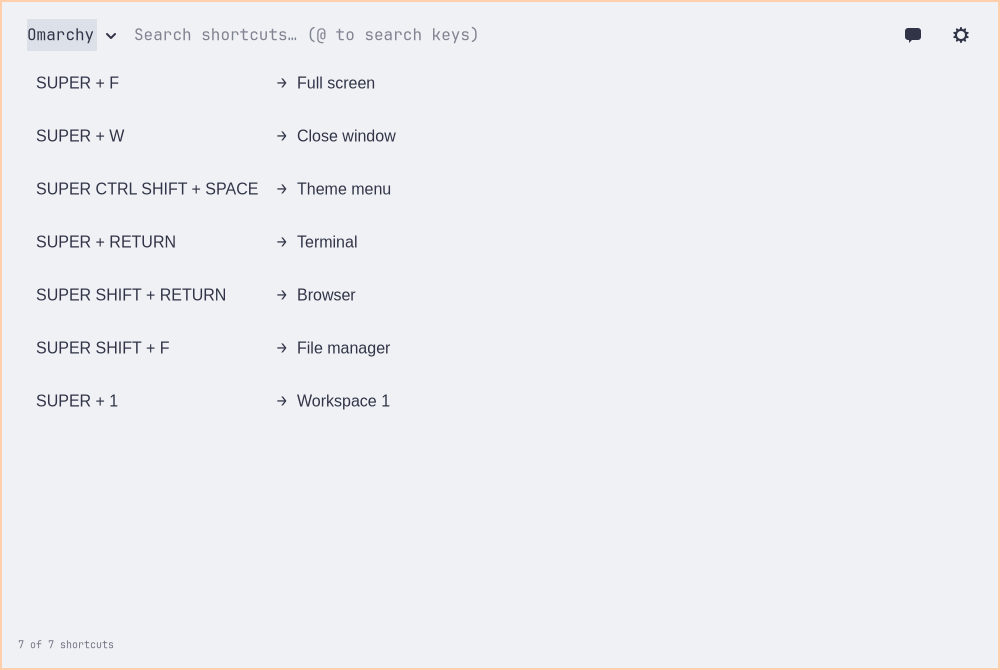
The app follows system colors by default. These light and dark captures use explicit app palettes for a reproducible comparison; live Omarchy themes supply their own colors and typography.
03 / BUILT AROUND YOUR WORKFLOW
Search your shortcuts by name or key. Explore a keyboard, bookmark the useful ones, and leave the rest out of your way.
Omarchy is a first-class integration: live Hyprland bindings, system colors and typography, a desktop overlay, and the modifier-driven keyboard guide. App shortcut sets sit alongside your desktop controls.
Add data-only shortcut sets for the apps you use. Optional mouse gestures and controller buttons can also control Bindlume itself; those are separate from your desktop’s bindings.
The built-in agent can change the app while you use it. Ask “Show theme shortcuts,” “Use a rounded dark look,” or “Bookmark this shortcut.” It searches real bindings and applies changes through the running app’s control API. Choose an installed agent or configure a direct Gemini, OpenRouter, Ollama, or compatible API connection.
SMALL CONNECTIONS. MORE POSSIBILITY.
Bindlume is open for early testing on Omarchy and Linux.
This is a public alpha, not a stable release.
Install the testing preview, explore your shortcuts, and report what needs work.